My Role
I designed the entire platform, their website, the Logo, their pitch decks, and social media guidelines.
The first challenge was to design all the core flows and prototype them within 2 weeks because it had to be showcased at a flagship event.
I had a 2-day workshop (90 minutes + 60 minutes) with a group of 3 researchers and identified context switching as one of the major pain points and set out to reduce it to a minimum.
What is Artrivi
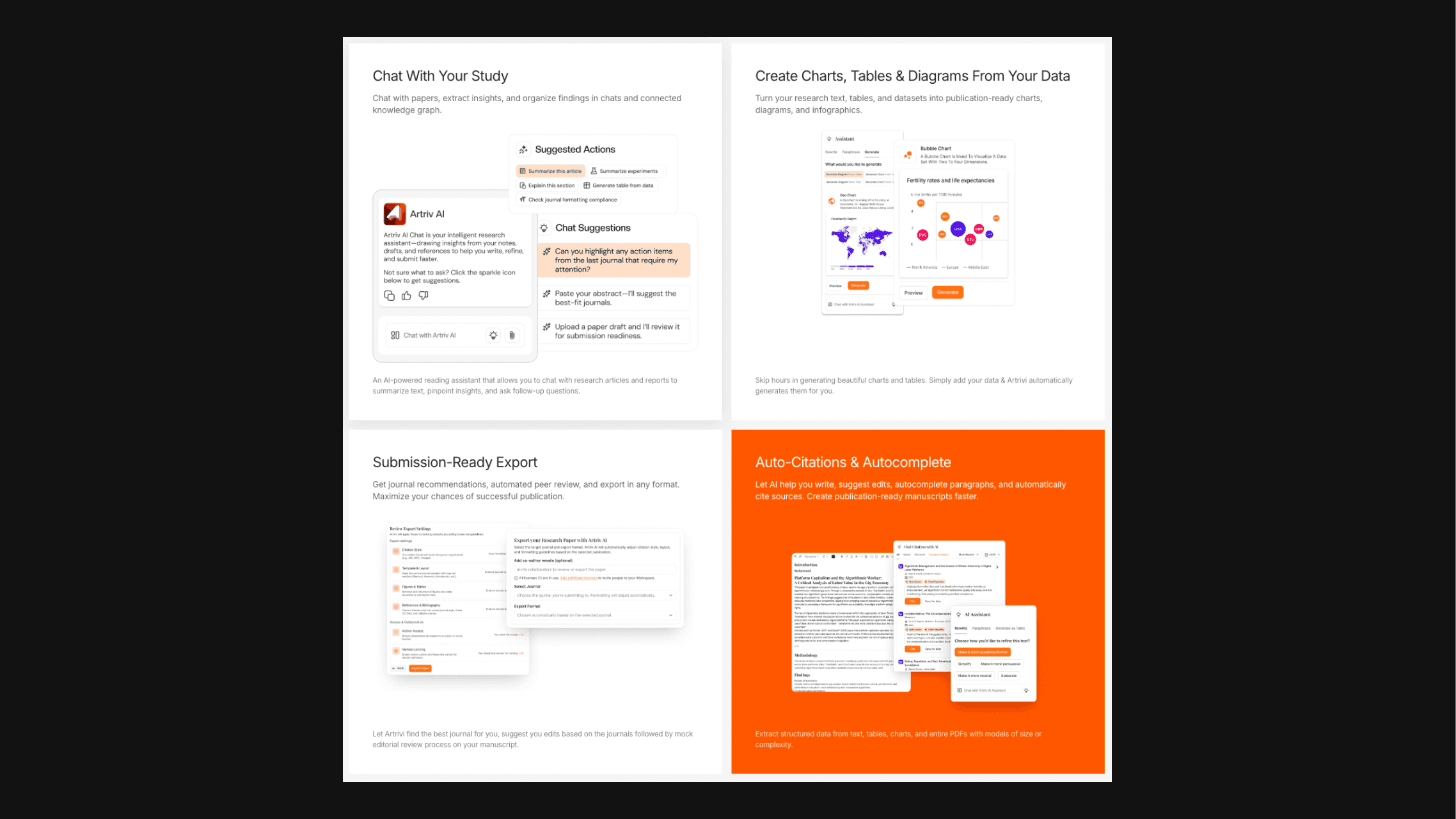
It is an end-to-end research operating system that helps you organise reading, thinking, structuring, writing, reviewing, and submitting into a single cognitive loop.
The product removes the need for context switching from the research and writing process
It is an end-to-end research operating system that helps you organise reading, thinking, structuring, writing, reviewing, and submitting into a single cognitive loop.
The product removes the need for context switching from the research and writing process
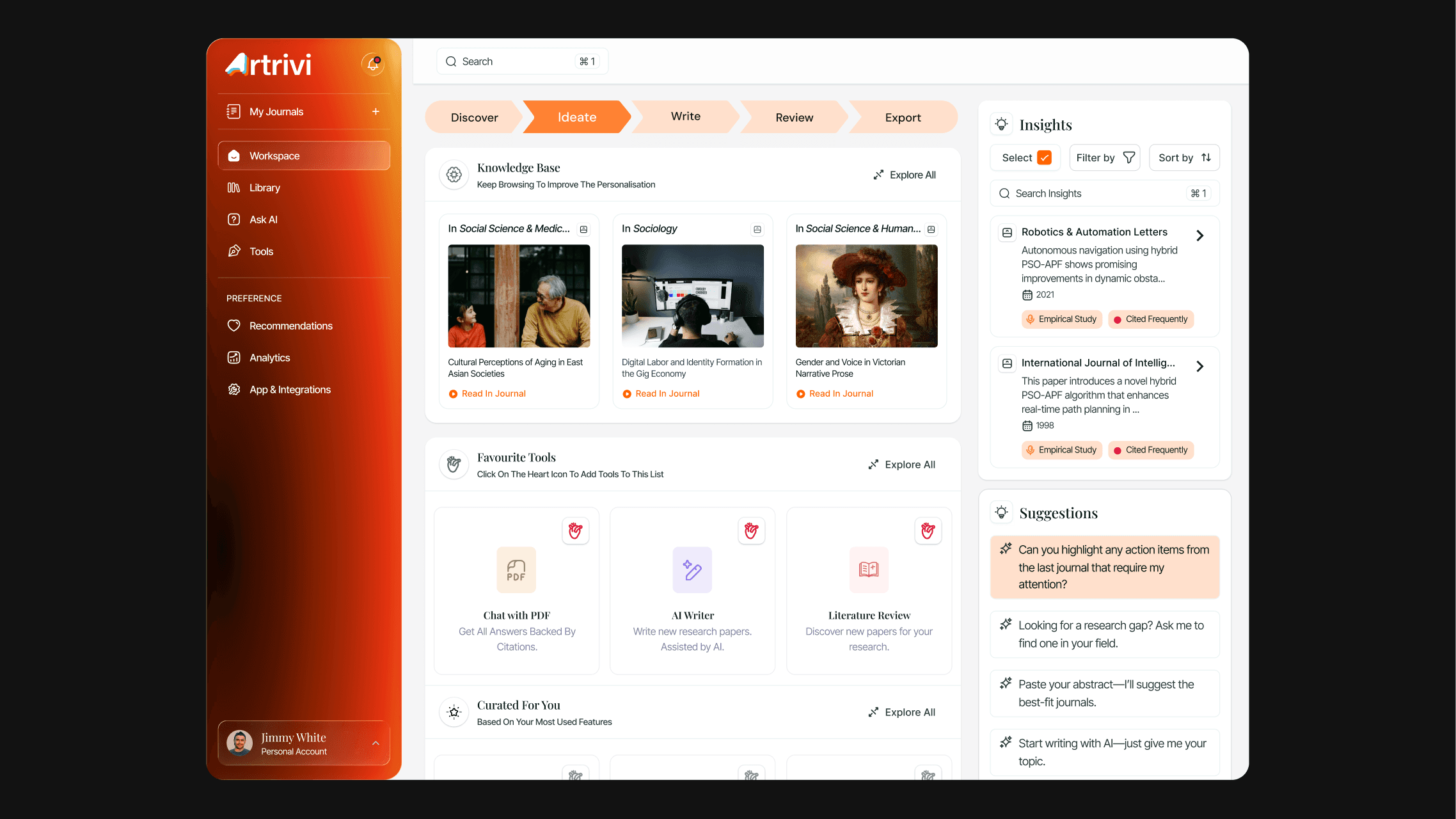
I wanted to replace the typical, bookmarks, folders and the highlights and the notes that a researcher would have next to them at all times.
So the user could stay focused on the paper for longer durations without the need for any external context switching.
I wanted to replace the typical, bookmarks, folders and the highlights and the notes that a researcher would have next to them at all times.
So the user could stay focused on the paper for longer durations without the need for any external context switching.
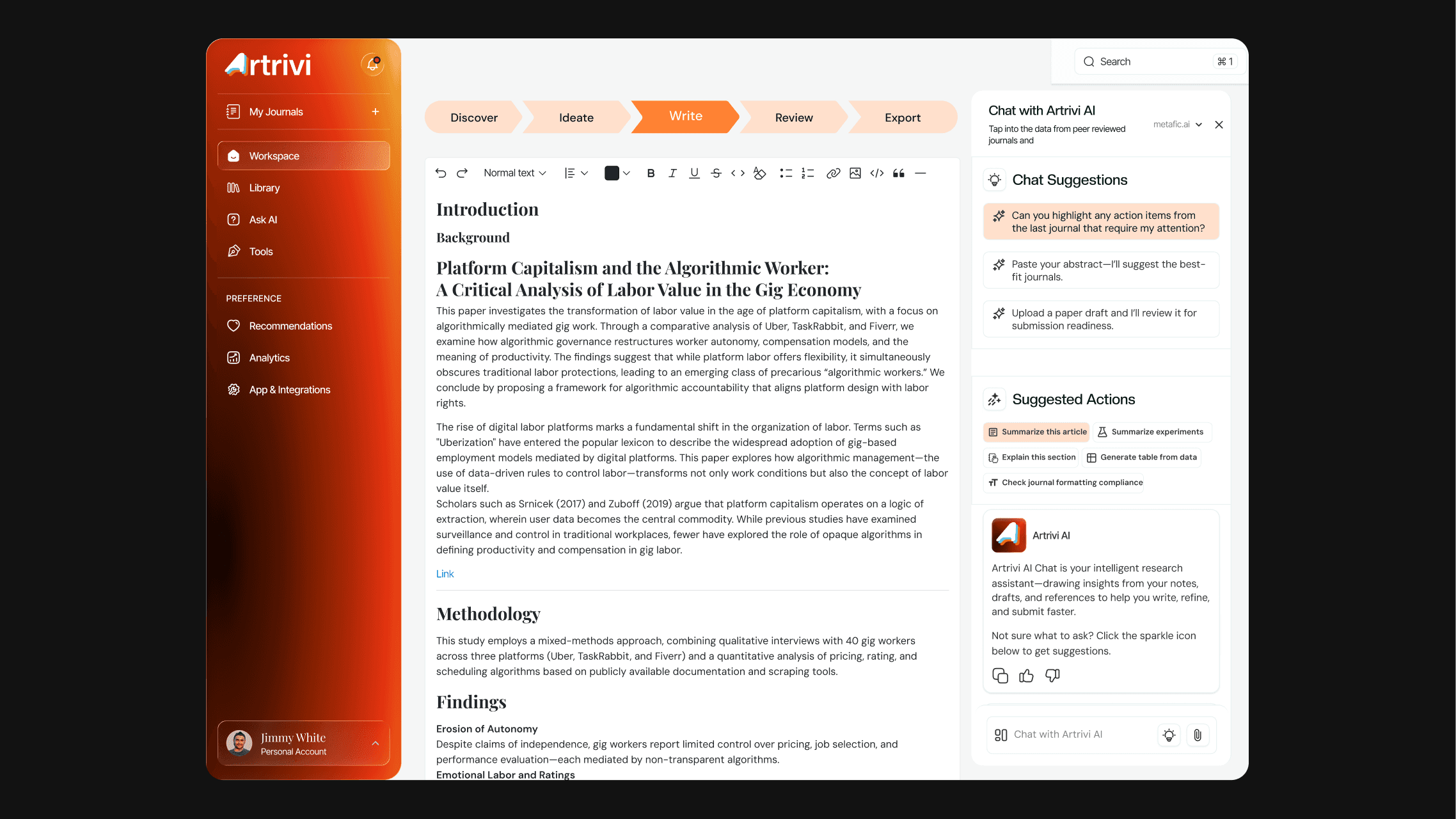
One of the platform's best features is the dynamic sidebar. It changes automatically based on context, so the best possible tool and features are always available with the minimum number of clicks.
One of the platform's best features is the dynamic sidebar. It changes automatically based on context, so the best possible tool and features are always available with the minimum number of clicks.
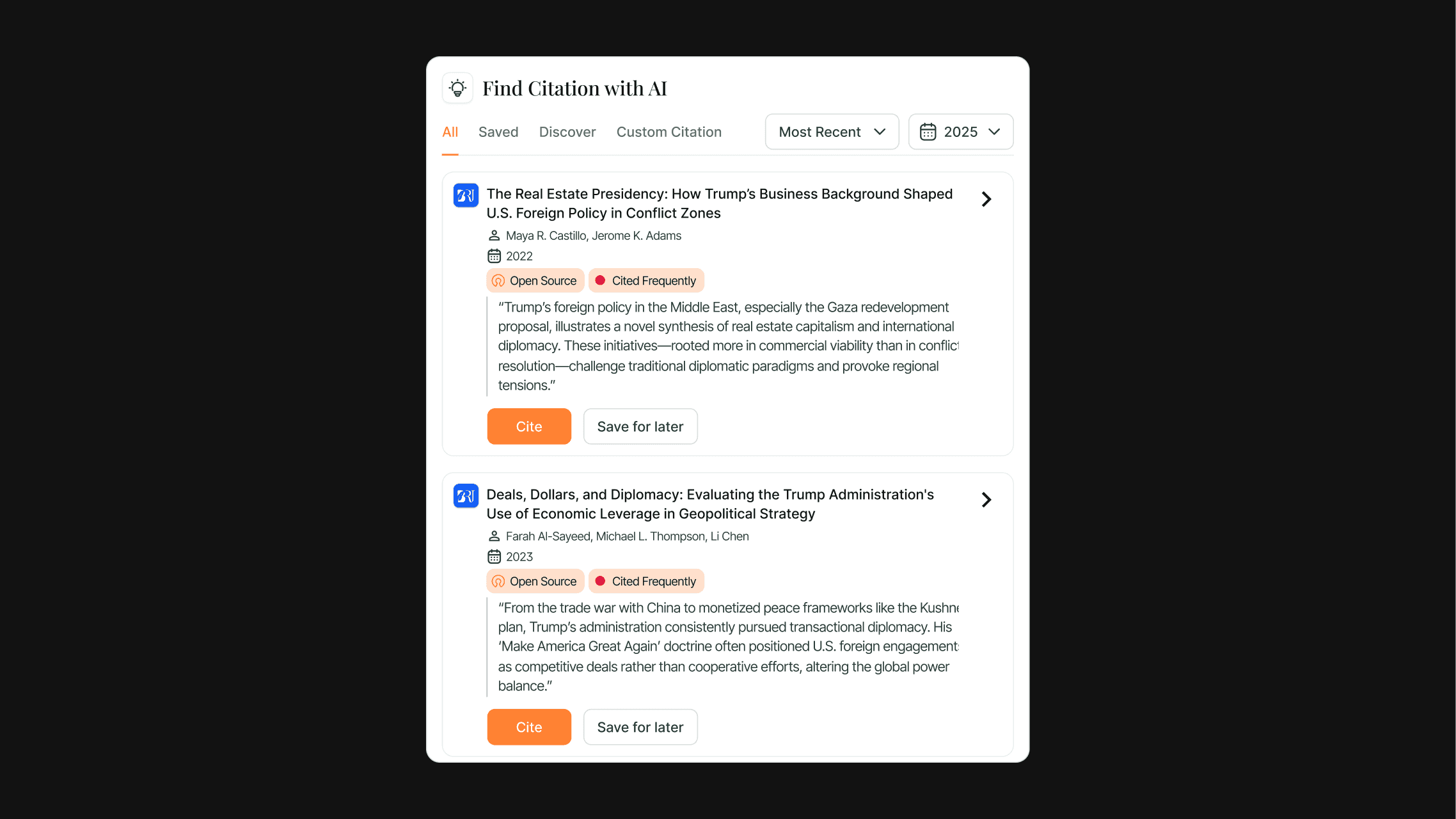
The floating tools are another way in which i reduced the context switching, adding citations, and generating graphs and paraphrasing can all be done in the same tab after highlighting text. So everything is neatly hidden and shows up only when contextually needed.
The floating tools are another way in which i reduced the context switching, adding citations, and generating graphs and paraphrasing can all be done in the same tab after highlighting text. So everything is neatly hidden and shows up only when contextually needed.
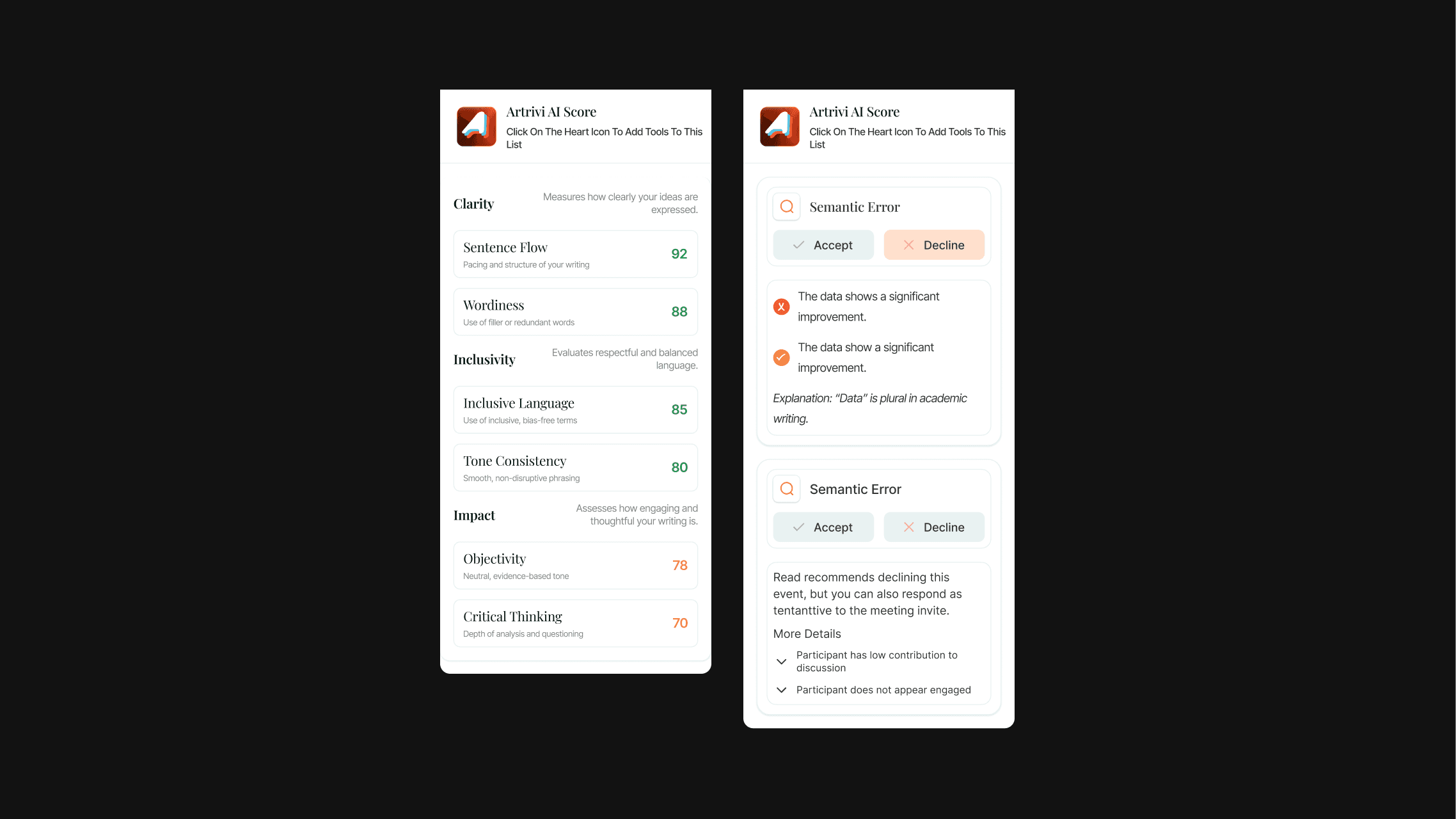
The idea behind the dynamic sidebar was to position it as a collaborator, rather than a tool. The revision > feedback> revision loop was mimicked with the sidebar via multiple widgets that made the workflow modular after the user's behaviour and patterns.
The idea behind the dynamic sidebar was to position it as a collaborator, rather than a tool. The revision > feedback> revision loop was mimicked with the sidebar via multiple widgets that made the workflow modular after the user's behaviour and patterns.
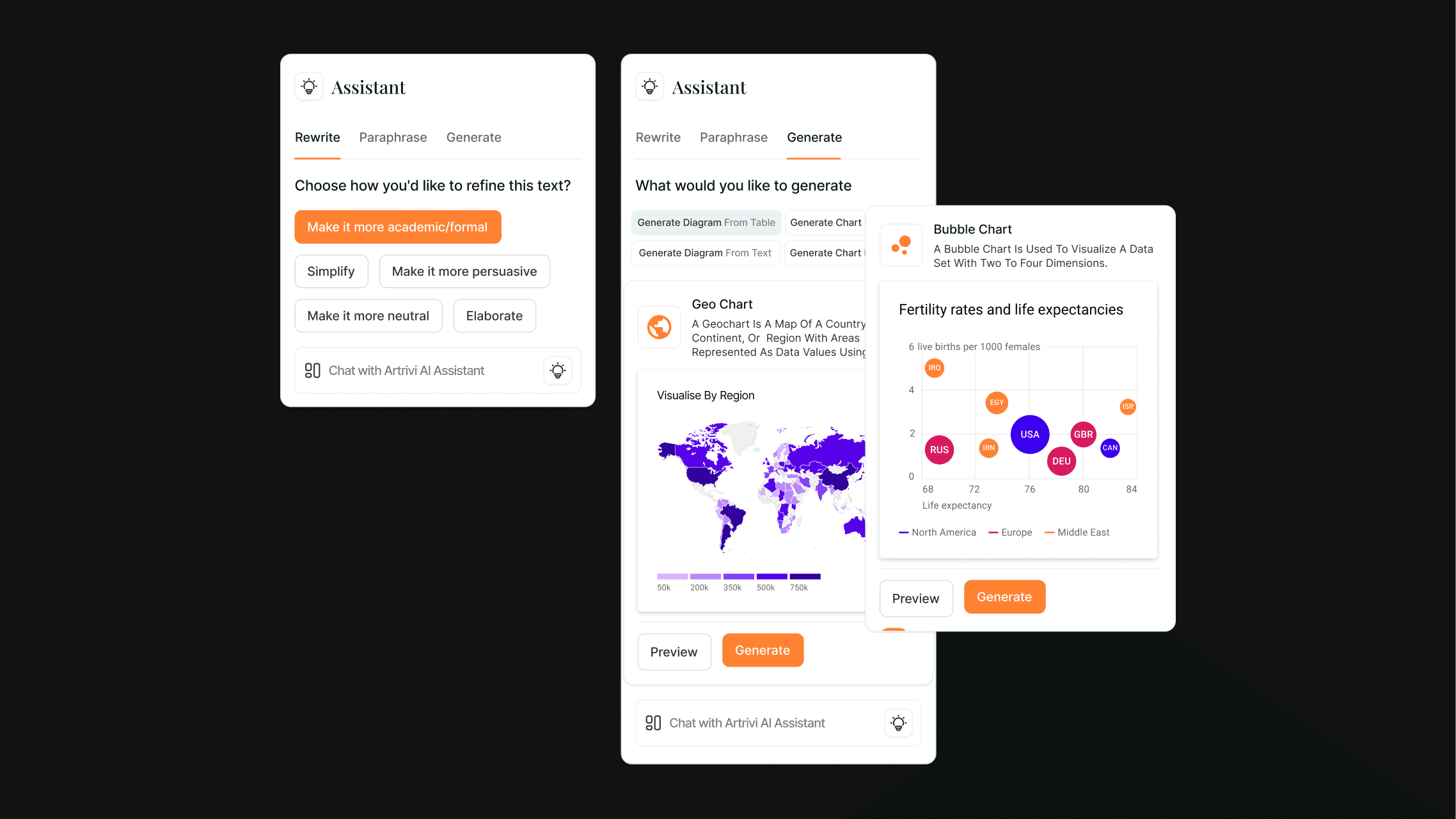
I had a lot of fun designing the interactions with these on-screen utilities. The logic behind when they would show up and how the user would interact with them.
I had a lot of fun designing the interactions with these on-screen utilities. The logic behind when they would show up and how the user would interact with them.
Next work
Next work

The time for me is
Copyright © 2026. All Rights Reserved
The world is yours
The time for me is
Copyright © 2026. All Rights Reserved
The world is yours
The time for me is
Copyright © 2026. All Rights Reserved
The world is yours